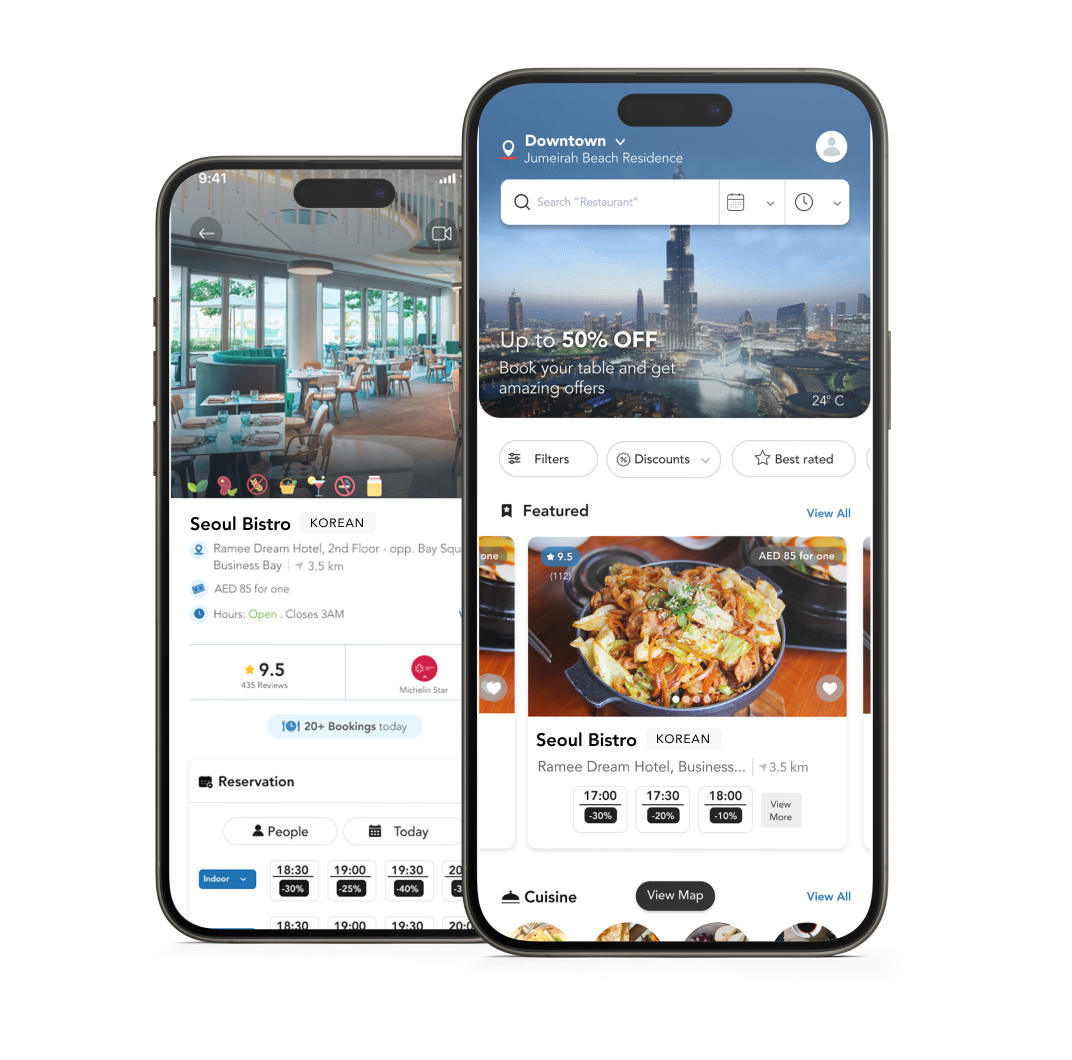
Find nearby eateries through the Table reservation app.

Scan the QR code to download

Restodviser allows users to discover and reserve tables at their favourite restaurants effortlessly. Simply download the app, browse through listed restaurants, choose a date and time and make a reservation with just a few clicks.
We also provide unique services like preordering, placing orders and arranging takeaways.
No, Restodviser is free of charge. You can browse restaurants, check availability, and make reservations without any additional costs. We only charge a small one-time fee for preorders and orders to cover costs related to payment.
There are no fees or penalties associated with late cancellations or no-shows. We would however advise you to do your best to cancel in advance your reservation out of consideration for the restaurant and any other potential customers.
To cancel or modify a reservation, go to the “Account” section in the app and click on “My Bookings”. From there, you can view and manage your upcoming reservations, including the option to cancel or make modifications as needed.
The preorder option allows you to place orders for your meals in advance of your intended dining time. After making your reservation, you can browse the restaurant menu, select the preorder option, choose the items you want to order and add them to your cart. You can then go to checkout, add your payment details or select an existing payment option and place your order.
During the selection of the items, you can also choose to split the payment with other guests. In that case the order will only be confirmed once all the guests pay their share.
You can track the status of your preorder within the app. This may include updates on order preparation and estimated time of readiness. Usually preorder preparation starts between 30 to 60 minutes prior to the customer time of arrival.
A preorder can be cancelled free of charge up to 12 hours prior to the reservation.
After that time, order can still be cancelled free of charge if the restaurant hasn’t started preparing it. Otherwise, the full order amount could be deducted, depending on the restaurant policy.
Minimum order amounts, if any, are set by individual restaurants. Details about minimum order requirements can be found on the restaurant’s menu page within the app.
Yes, many restaurants offer exclusive deals and discounts for reservations made through our app. Keep an eye on the app for promotions and special offers available at participating restaurants.
After your dining experience, you’ll receive a prompt to leave a review within the app. Your reviews help other users make informed decisions and provide valuable insights to the restaurants.
Yes, we prioritize the security and privacy of your information. We use industry-standard encryption protocols to safeguard your personal data, ensuring a secure and reliable experience.
You can specify any dietary restrictions by going to the “Account” section in the app and clicking on “Preferences”. From there, you can add your dietary preferences. When making a reservation, you can also specify any dietary restrictions or special requests in the comments section. The restaurant will do its best to accommodate your needs.
For any assistance or inquiries, please contact our customer support team through the “Contact Us” option in the app. We are here to help and ensure you have a seamless experience.

Tell us more about you and we will contact you as soon as possible.
Register my RestaurantWe will send you a link, open it your phone to download